Stop Designing Your Website for Architects
If you lead an architecture firm, who do you design your website for? What do you think your website should do?
The best firm websites not only open doors to new clients, new employees, influencers, and new collaborations, but they also attract these people to you. How? By putting your website users’ needs first.
Rather than think of your website as a digital portfolio, think of it as a virtual reception lounge for your studio. Just as clients get an impression from entering your office, they glean information from landing on your website. The catch? You have merely five to ten seconds to convince your web visitors to stay. If you don’t put their needs first, they bounce.
Clients, collaborators, employees, and media arrive on your website with a straightforward agenda: to decide whether your firm fits their needs. They want to understand what you do, how you work, and what changes if they interact with you. They also want a fast and easy way to engage. Unfortunately, most firms’ sites fail this basic litmus test.
To understand and analyze the competitive landscape, consider that architecture firm websites can be organized into three basic categories, two of which underperform. They are: 1. portfolios, 2. doorbells, and 3. reception lounges. Understanding what each does and does not do can improve your own web design strategy.
The three models, and why two of them underperform
The Portfolio. The most common architectural website structure is the portfolio model, which features beautiful imagery with little to no text. While this model appeals to architects (including academic audiences or potential employees), it confuses clients because it forces them to interpret your work with limited context. As they struggle to curate meaning, clients are left guessing. How many of them have the patience for that? Similarly, potential consultants (who could bring you new work) or influencers (who could promote your work) aren’t interested in investing time decoding what they see. The result is the same: they bounce, and you miss the opportunity to connect with them.
The Doorbell. The doorbell model is slightly more engaging, but it limits performance. In this model, you think of your website as a doorbell that invites people to “ring” to learn more about your work. A step up from the portfolio, it invites interaction–but it hinders it, too.
In an era of SEO and now AEO, where Google rankings or AI responses can make or break your visibility, thinking of your website as a doorbell limits your thinking. Your website should bring people to you. While a website cannot win work alone, it should attract people to you in the first place, giving you a chance to build relationships with a broader audience.
Reception. When designing the reception area of your firm, you likely imagined: how can design make guests feel welcome? Adopting this perspective offers significant rewards. Your website should welcome visitors, introduce them to your brand, orient them quickly, and get them where they want to go.
Because website visitors decide to linger or leave in just 10 seconds, your site must be clear, compelling, succinct, and inviting. You must prioritize your users.
What clients actually do on your website
Architects often imagine their website visitors browsing like charrette jurors: methodically, thoughtfully, analytically. In reality, clients browse more like project managers who have another meeting starting in five minutes. It’s a distracted, impatient process.
In under a minute, your clients must:
Confirm relevance
Have you done work like theirs?Understand scope and services
Will you lead, partner, or advise? Where do you start and stop?Assess your approach
Will your team deliver predictably? Will they enjoy working with you?Check outcomes
When clients choose to work with you, what changes? Do they get budget clarity, better energy performance, great experiences, or community engagement?Verify trust
Who has hired you? Who vouches for you? What recognition, credentials, and partnerships back up your claims?Decide what happens next
What does the first conversation look like, and what do you need from me?
A strong site helps visitors get what they want, fast; a weak site asks them to admire your aesthetics and guess.
What this looks like in practice
The good news is that achieving better performance doesn’t require more pages. It demands clearer roles for the pages you already have.
Homepage: greet and route
A client should leave the first screen knowing:
what you do
who you do it for
where to click next
Avoid the “poetic tagline + hero image” default; instead, craft a headline that carries meaning without marketing puffery. Then, add a credible proof element.
Sector pages: reassure with relevance
A sector page (aka market segments or project types) should read like a short briefing:
common constraints in that project type
what you deliver and how you work
selected projects with outcomes
a next step for that audience
Sector pages reduce uncertainty faster than an undifferentiated portfolio.
Project pages: support a decision
Most project pages need a structure that serves the reader, not the archive. Craft a clear and compelling story through text and images. Here is a reliable structure:
Context: client, scope, constraints
Approach: decisions and tradeoffs you led
Outcomes: what improved and how you know. Include proof points such as client quotes, performance metrics, awards, or publications.
Related work: for viewers who want to learn more
This structure protects the design story while making the work legible to non-designers.
A quick website self-audit for firm leaders
Open your homepage on a phone, and give yourself 10 seconds. Imagine that you are a prospective client, and see if you can answer the following questions without scrolling:
What does this firm do?
Who does the firm do it for?
Why should I trust them?
What should I do next?
If your site cannot answer these questions quickly, then you should improve its performance.
The point
Architecture firms already understand how to design an arrival sequence. They do it in buildings all the time. Your website requires the same discipline: welcome, orientation, and a clear next step.
What’s good? Three sites worth studying.
You can build a high-performing experience without sacrificing aesthetics. These three firms illustrate different approaches.
UNStudio: pithy punch
Screen capture of UNS website. To view the full site, visit https://www.unstudio.com
UNStudio’s homepage communicates a vibe without making you hunt for basics. It introduces the practice, points to services, and conveys a culture of design. That is why it passes the 10-second scan with ease.
What to borrow:
A clear point-of-view that conveys what you do and why you do it.
Clear pathways into services and capabilities. There’s more than one way to get where you want to go.
Snøhetta: walking the talk
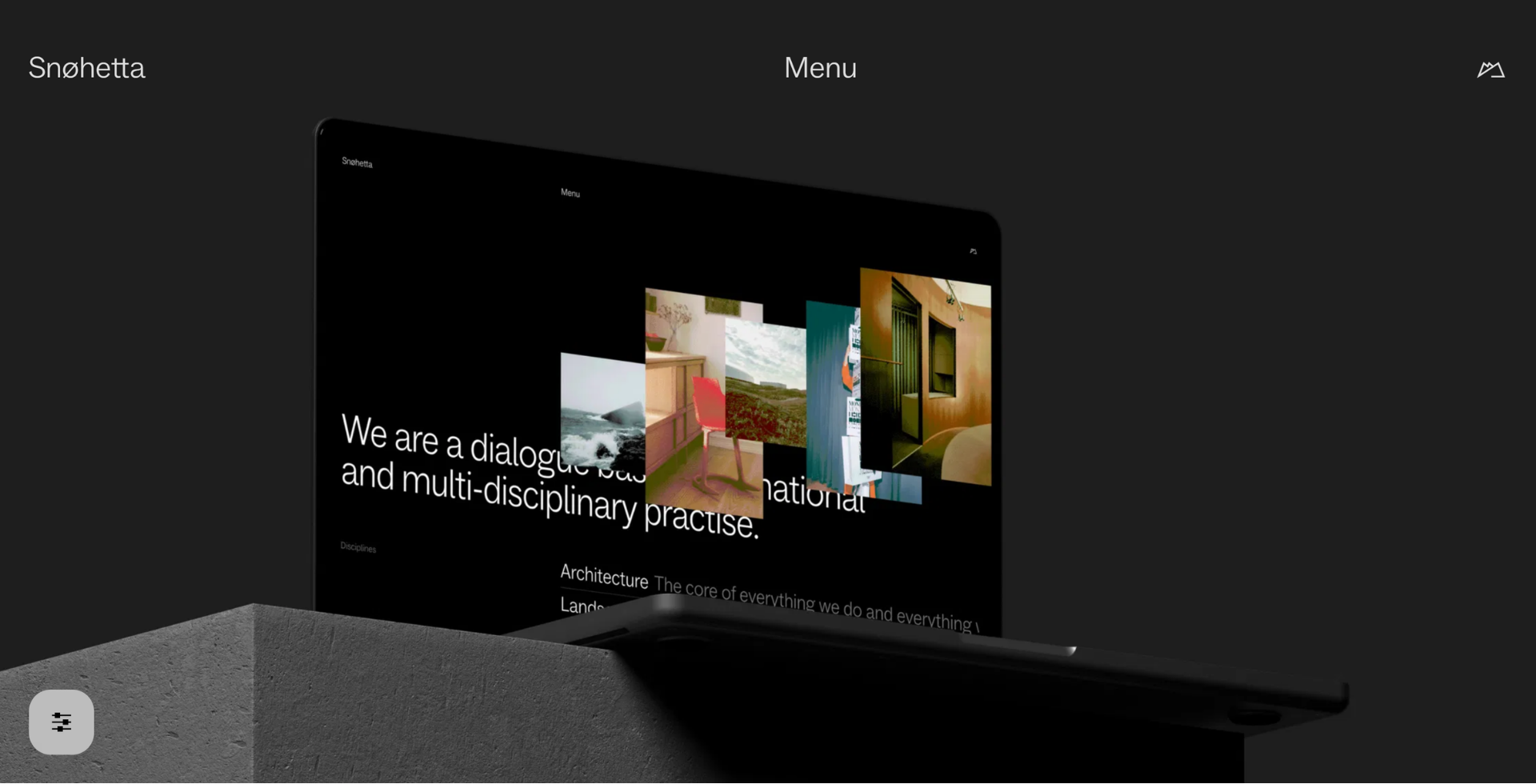
To view the full Snøhetta website, visit https://www.snohetta.com
Snøhetta makes a rare move: it treats the website itself as a design object with environmental impact. In its own writing, the firm describes measuring site emissions using the Website Carbon Calculator, reporting an A+ rating and an estimated 0.09g CO₂ per visit, plus a monthly estimate based on traffic.
This approach matters because it collapses the distance between values and execution. Clients notice that kind of integrity.
What to borrow:
Treat performance and sustainability as part of your brand, not only your projects.
Make design restraint feel intentional. Fast sites (those that don’t drag as images or video loads) feel confident.
Olson Kundig: a striking point of view
View the full website at https://olsonkundig.com
Olson Kundig leans into the portfolio model, but it clarifies its context. Through text and imagery, the site frames the practice, then invites you to engage.
This site also earned a Webby nomination in the Architecture, Art & Design category, a rarity for architecture firms, which signals strong craft without requiring a museum-like “digital experience.”
What to borrow:
A portfolio that works by striking a distinctive point of view.
A little linguistic clarity goes a long way with cinematic visuals.
The checklist to help you get more from your site (steal this)
If you want your site to help you win new work, start here:
Greeting: A first screen that answers what you do, who you do it for, and what outcomes you prioritize.
Wayfinding: more than one clear, intuitive path to find your work, sectors, and firm information, and an obvious next step.
Context everywhere: Every project includes a constraint, a role, and a result.
Proof at decision points: Metrics, quotes, press, awards, logos, placed where a visitor hesitates.
A personal invitation: “Contact us” beats “Submit an RFP.”